
Amaze Seller Center และแพลตฟอร์ม ZORT
ผู้ขายสามารถซิงค์ข้อมูลสินค้า คำสั่งซื้อ และสต็อกได้แบบอัตโนมัติ ไม่ต้องเสียเวลามานั่งอัปเดตเองให้วุ่นวายอีกต่อไป ช่วยลดความผิดพลาด จัดการงานต่าง ๆ ได้ง่ายขึ้น และมีเวลามากขึ้นในการโฟกัสกับการขยายธุรกิจบนหลายช่องทางการขายอย่างมั่นใจผ่าน ZORT
สามารถดาวน์โหลด คู่มือการเชื่อมต่อ ZORT แบบPDF ได้ที่นี่
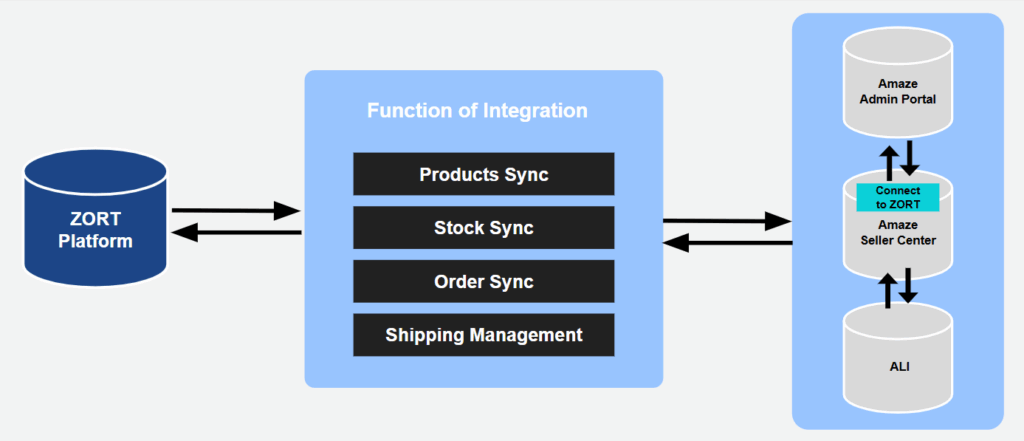
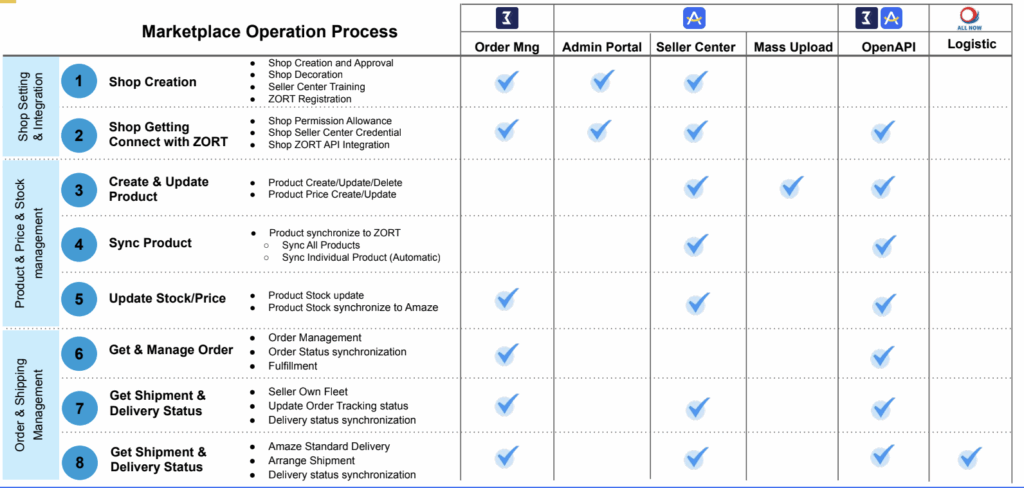
.
Shop Setting & Integration
- The “Marketplace Partner” tab displays in Shop Setting menu / ระบบจะแสดงแถบเมนู “Marketplace Partner” ที่หน้า Shop Setting
- The “ZORT Integration” button displays in My Product page (Only when connected to ZORTsuccessfully) / เมนู ZORT Integration จะแสดงที่หน้า My Product (เมื่อมีการเชื่อมต่อแล้วเท่านั้น )
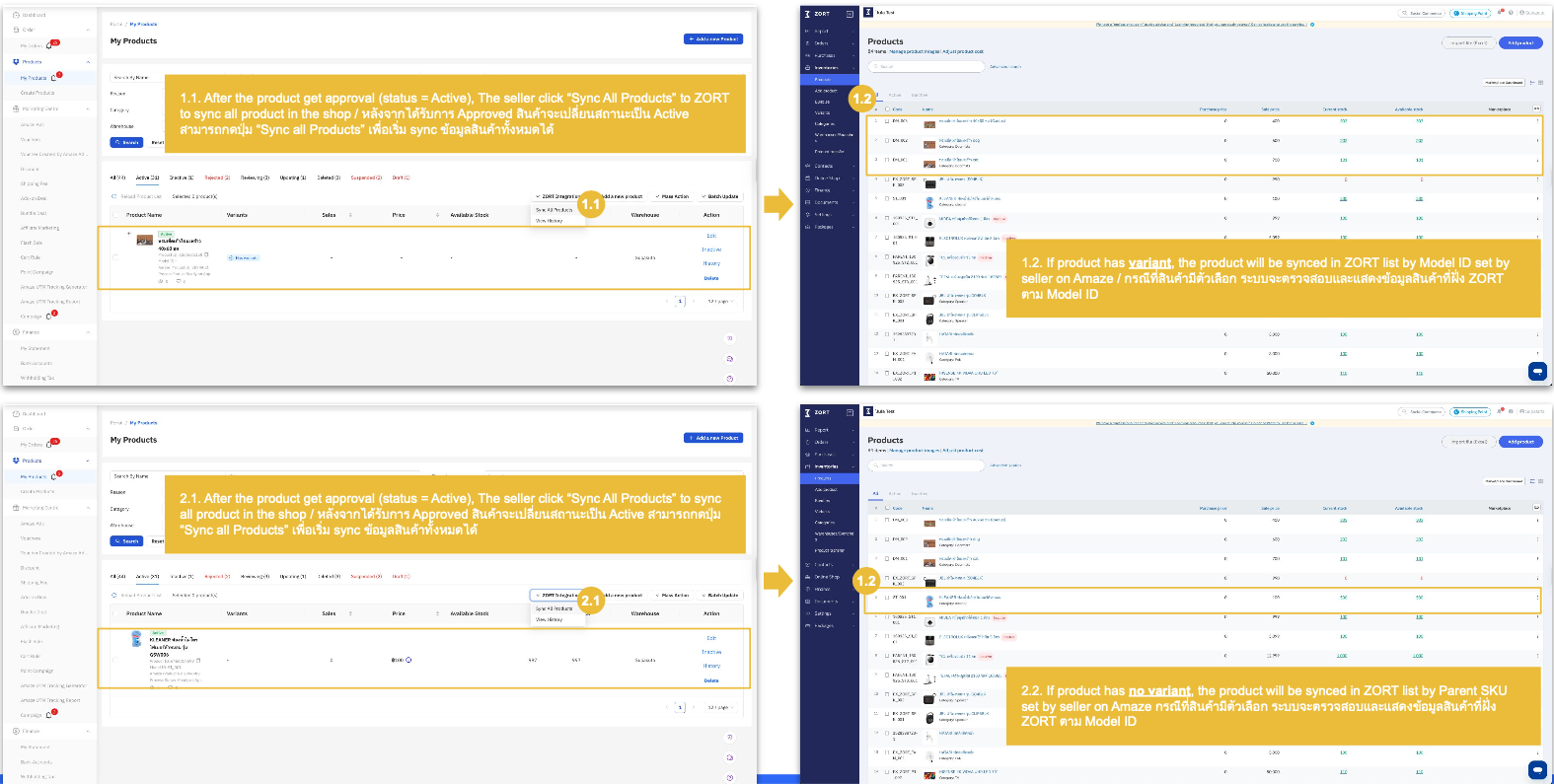
2.1 Sync All Products: to sync full list of products / ปุ่ม Sync All Product: ใช้สําหรับ sync สินค้าทั้งหมดในร้าน
2.2 View History: to view sync history / ปุ่ม View History: ใช้สําหรับดูประวัติของการ sync สินค้าทั้งหมดในร้าน
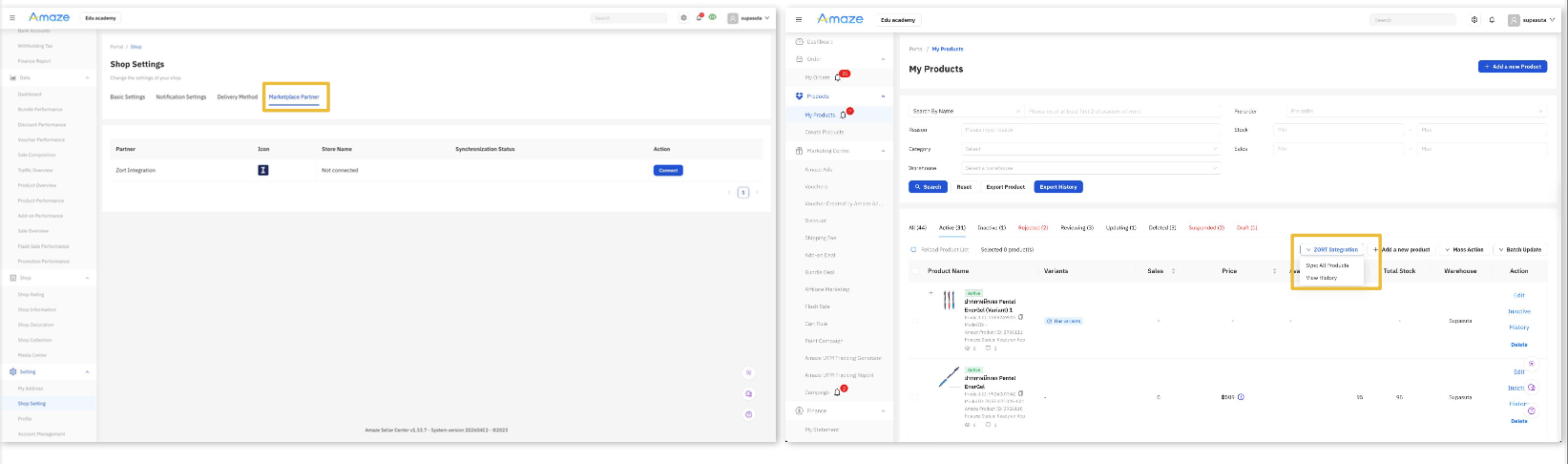
Connect Amaze to ZORT
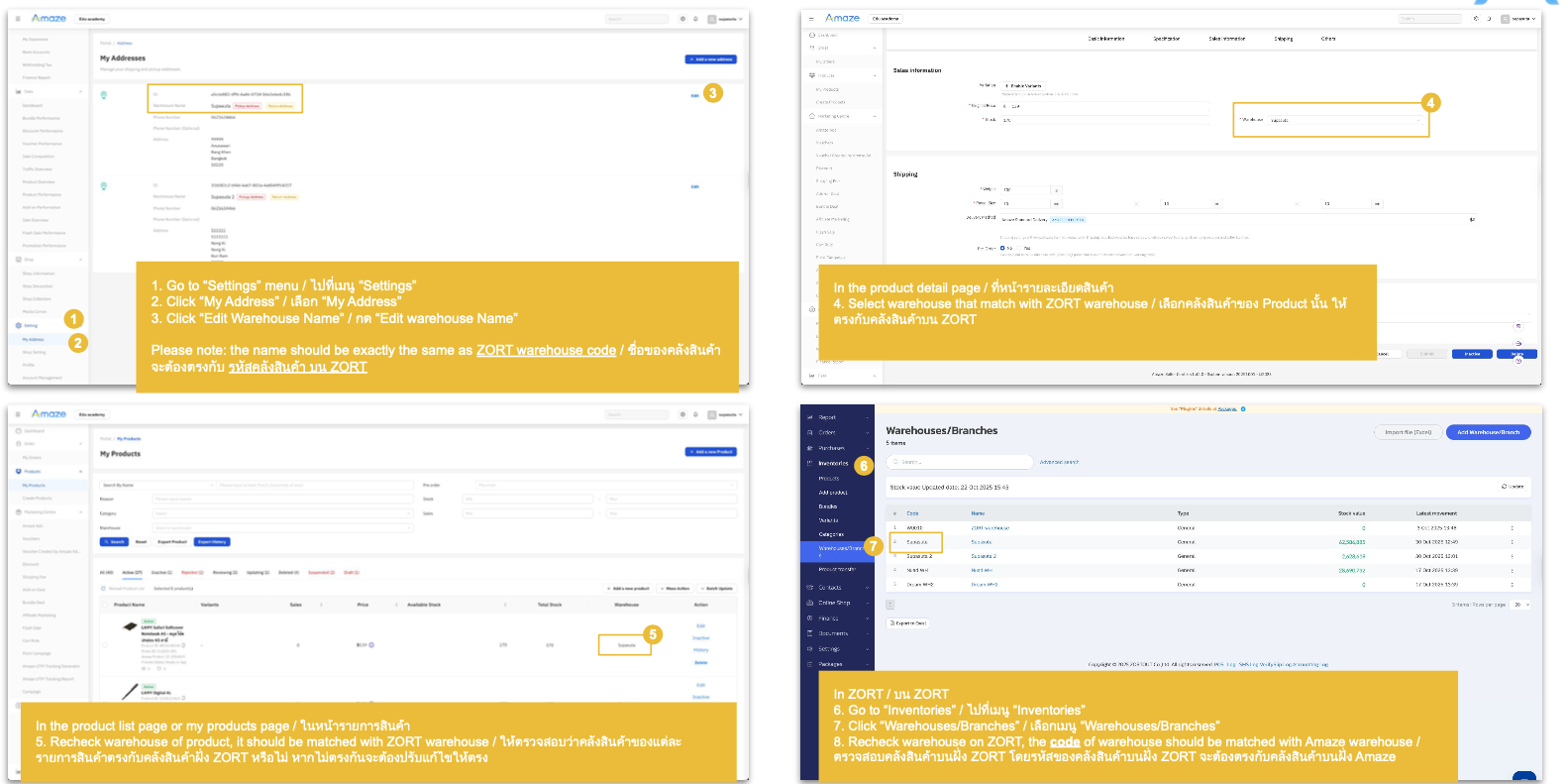
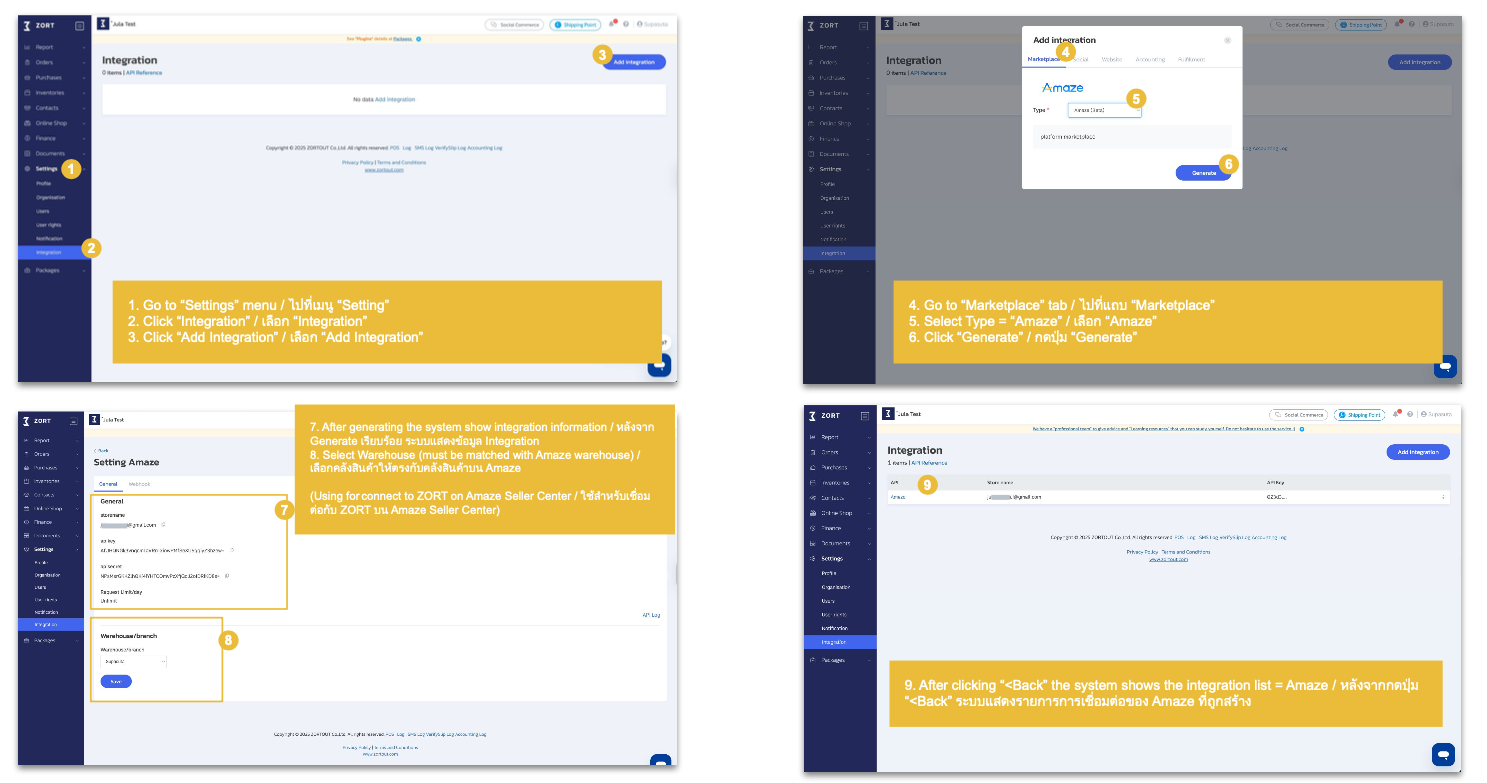
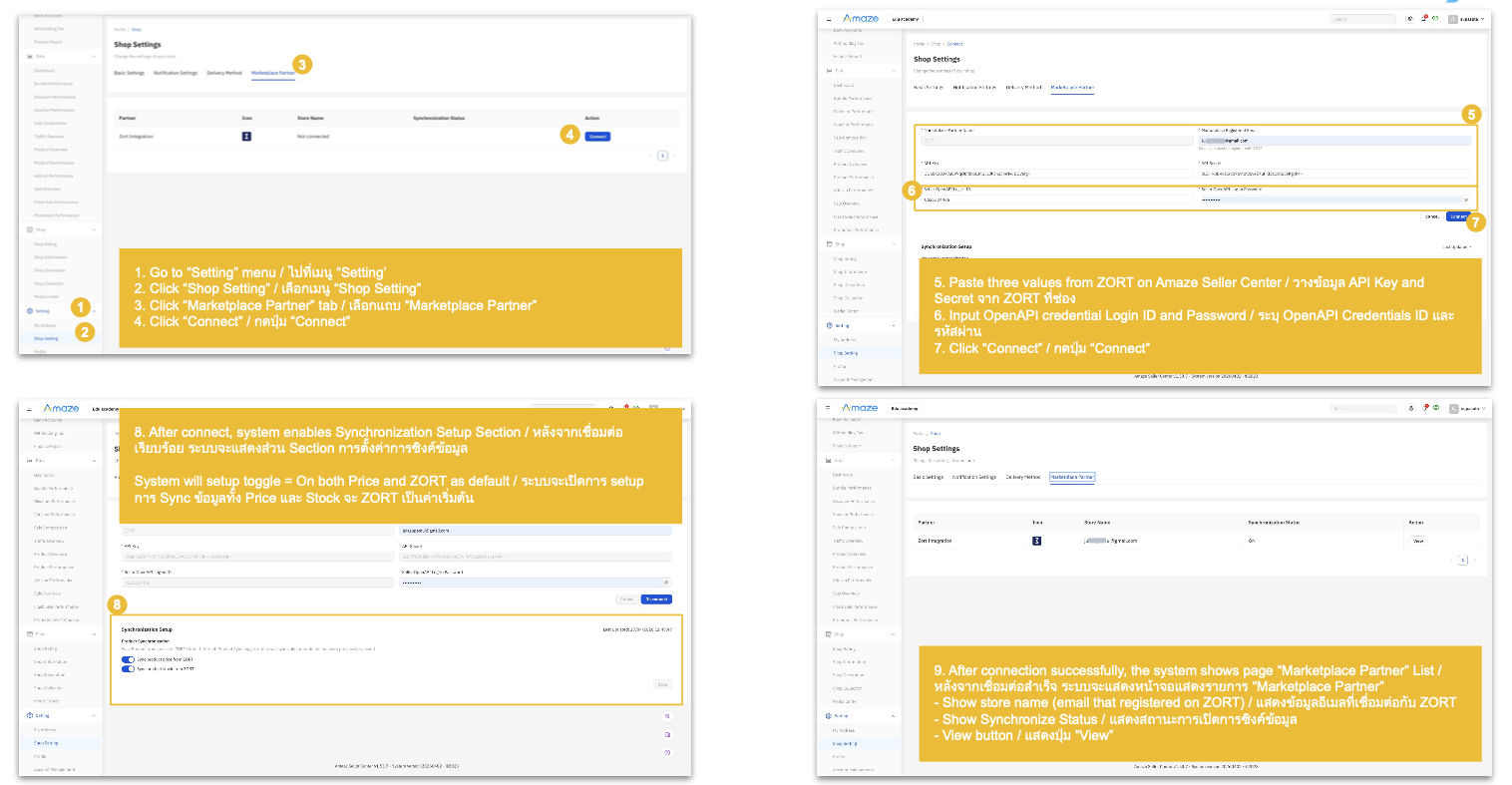
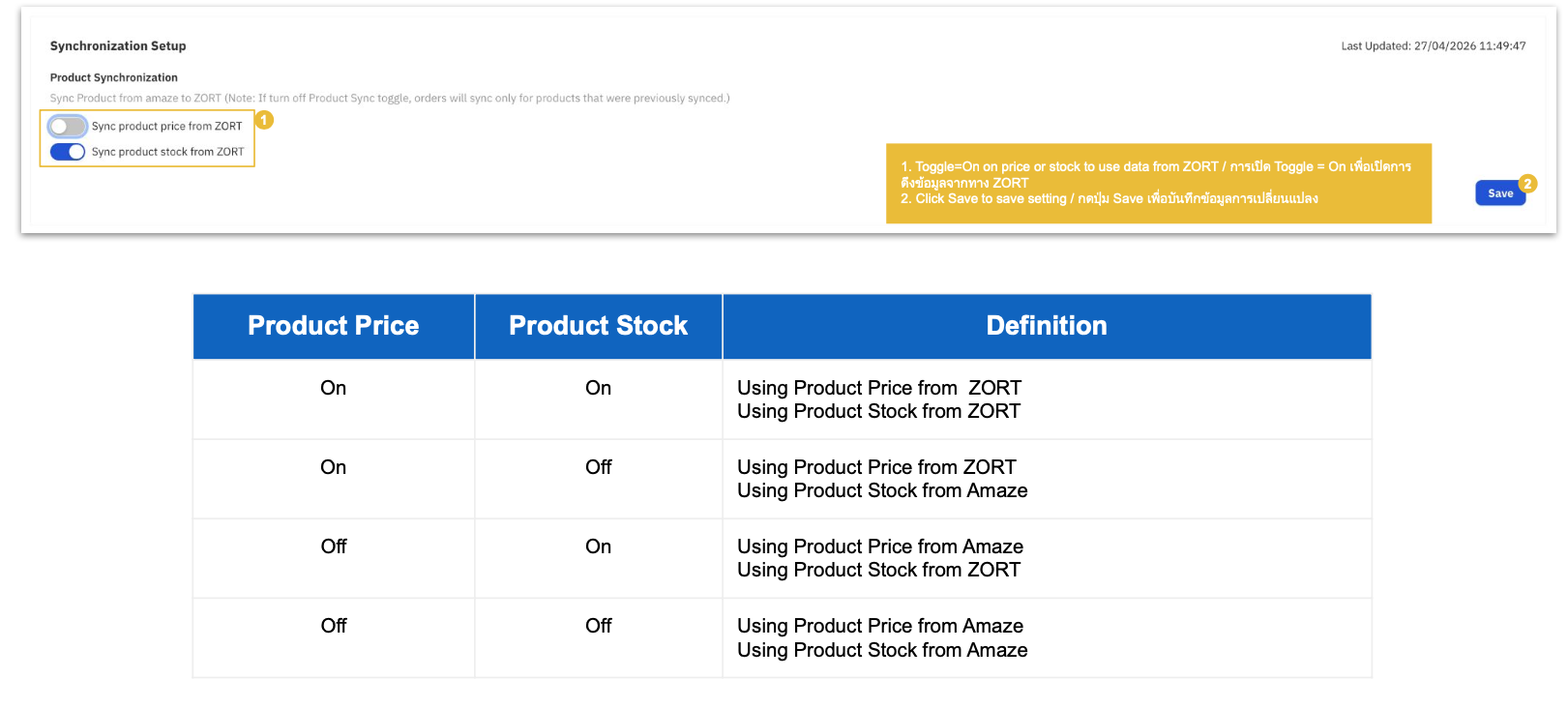
Sync Products from Amaze to ZORT
Create/Update Products: On Amaze Seller Center
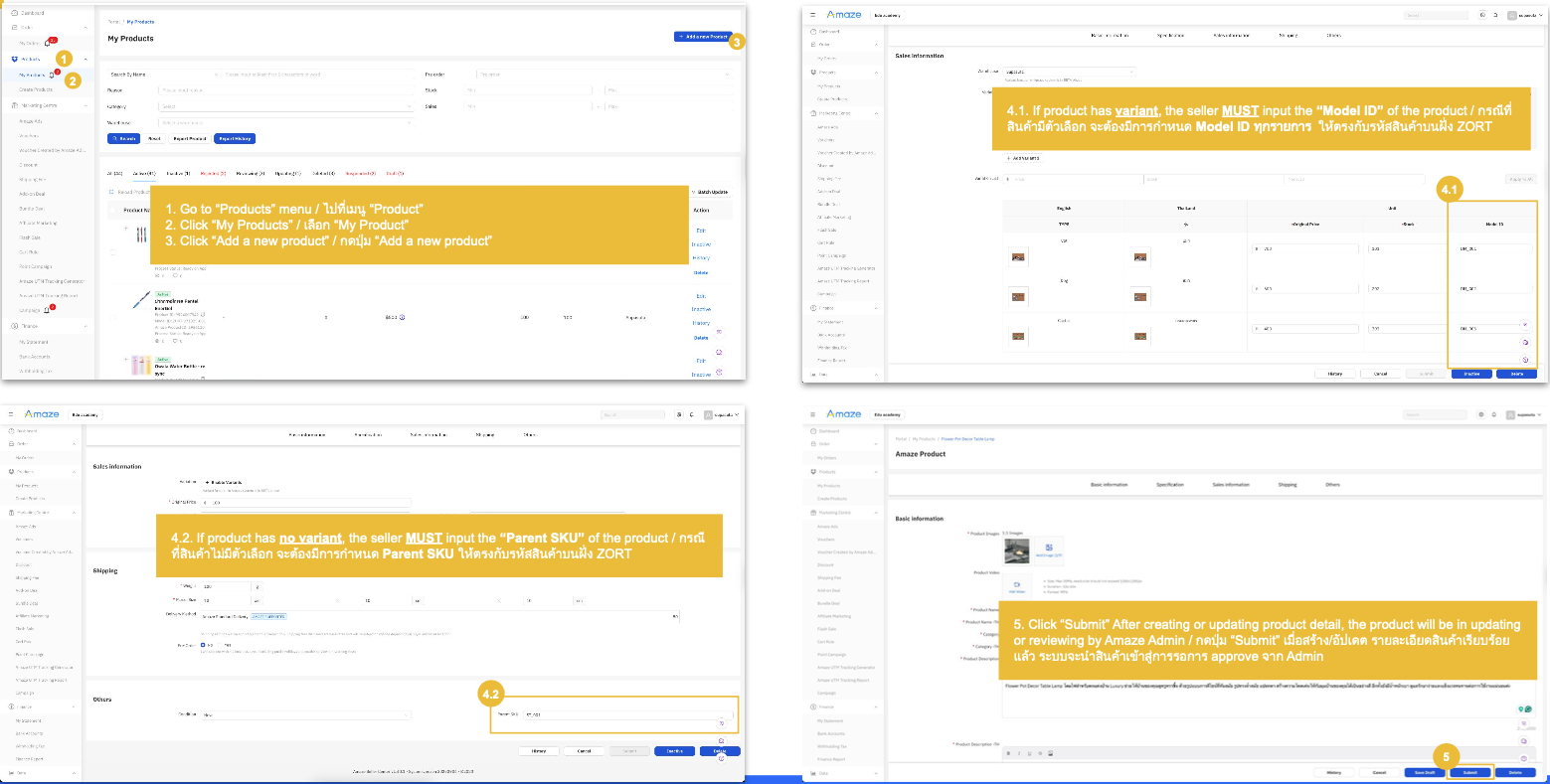
Create/Update Products: Sync Product to ZORT
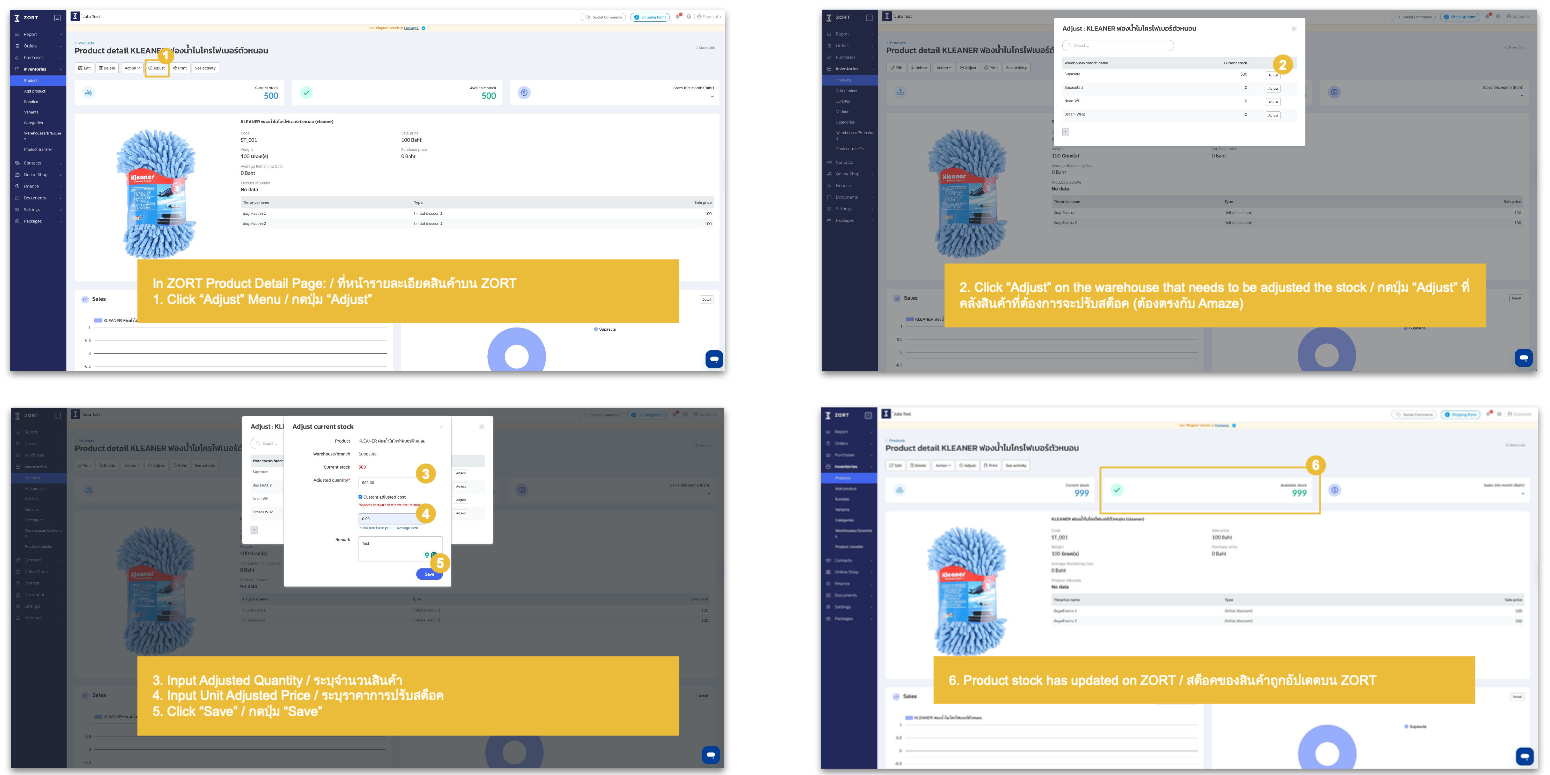
Update Product Stock: On ZORT and auto-sync to Amaze
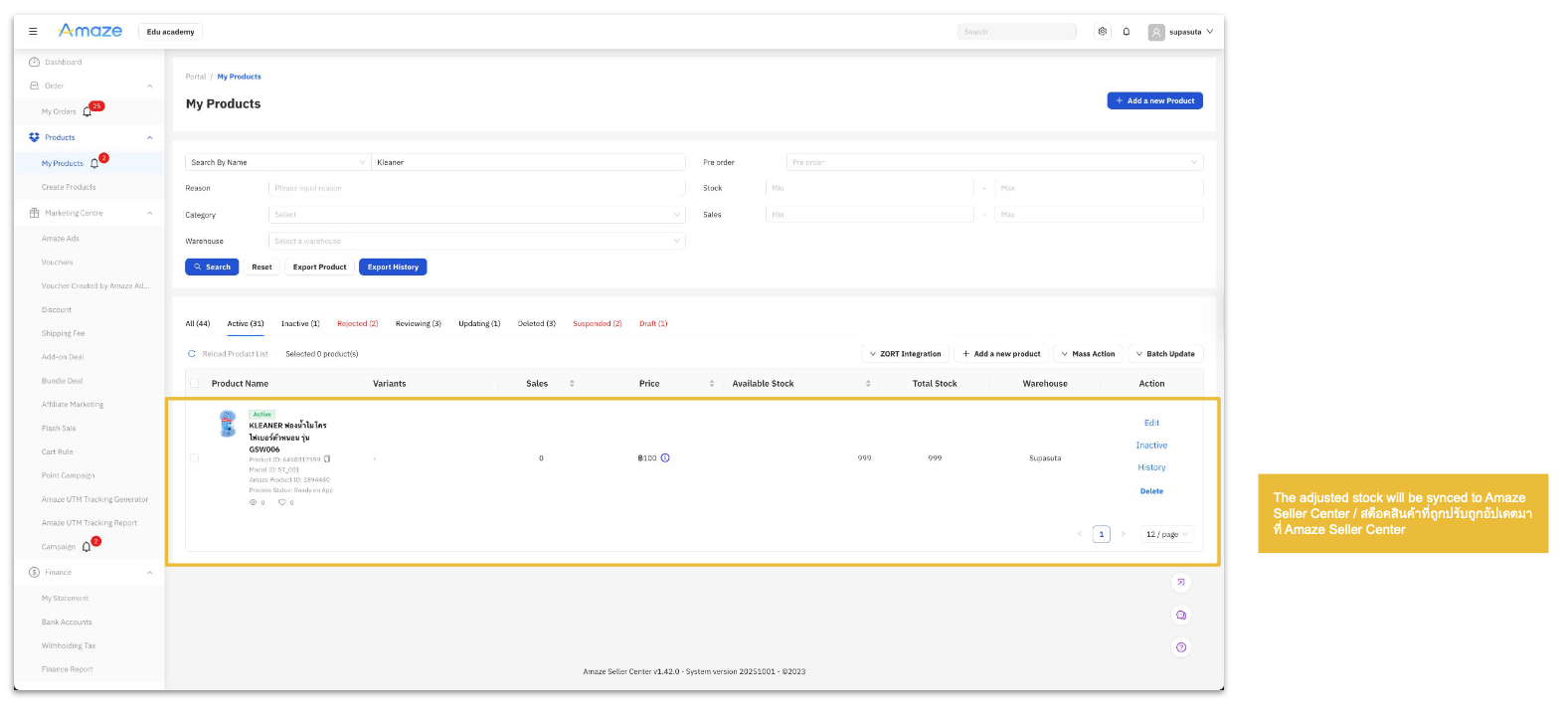
Update Product Stock: Successfully synced Product Stock to Amaze
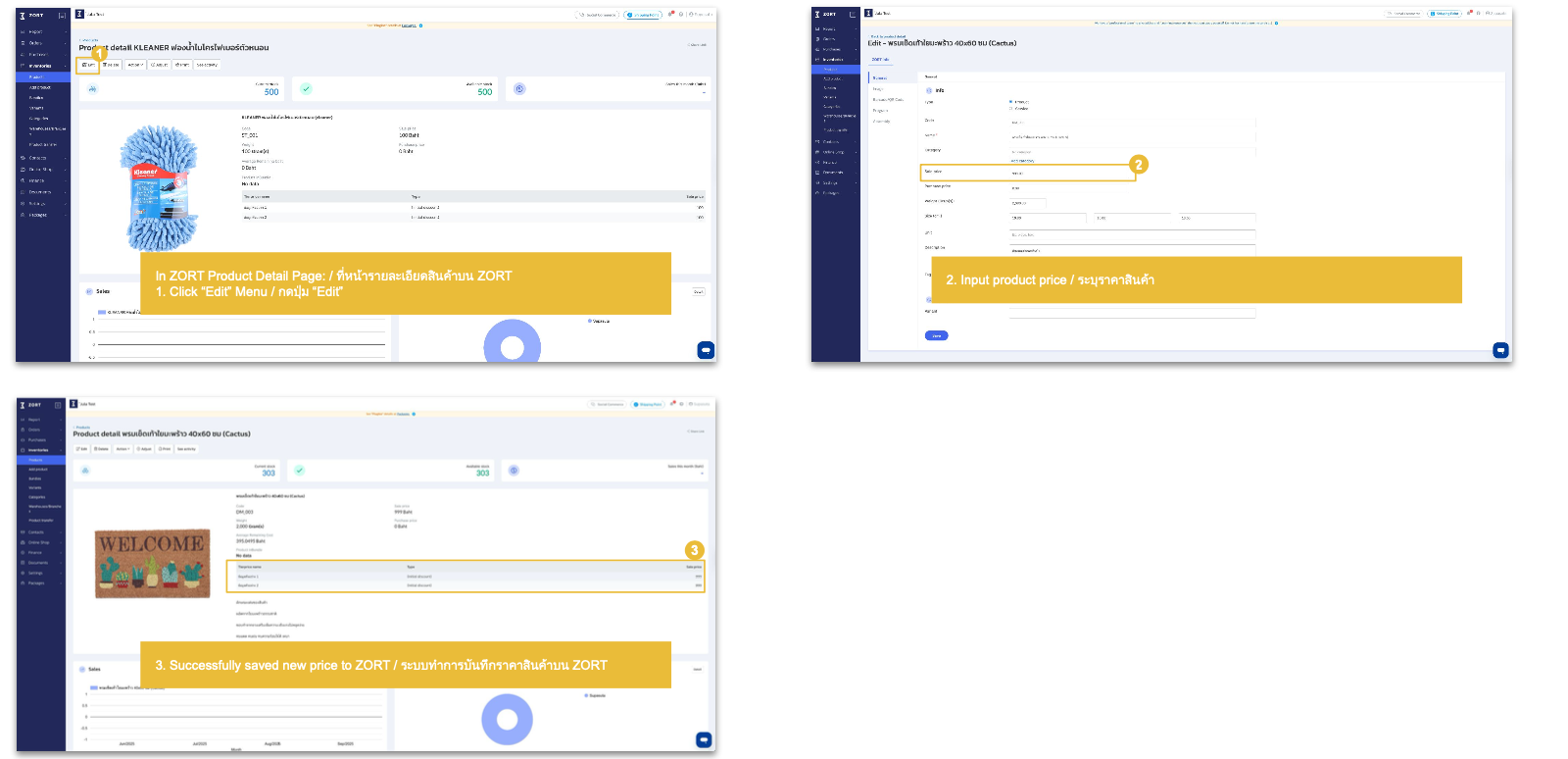
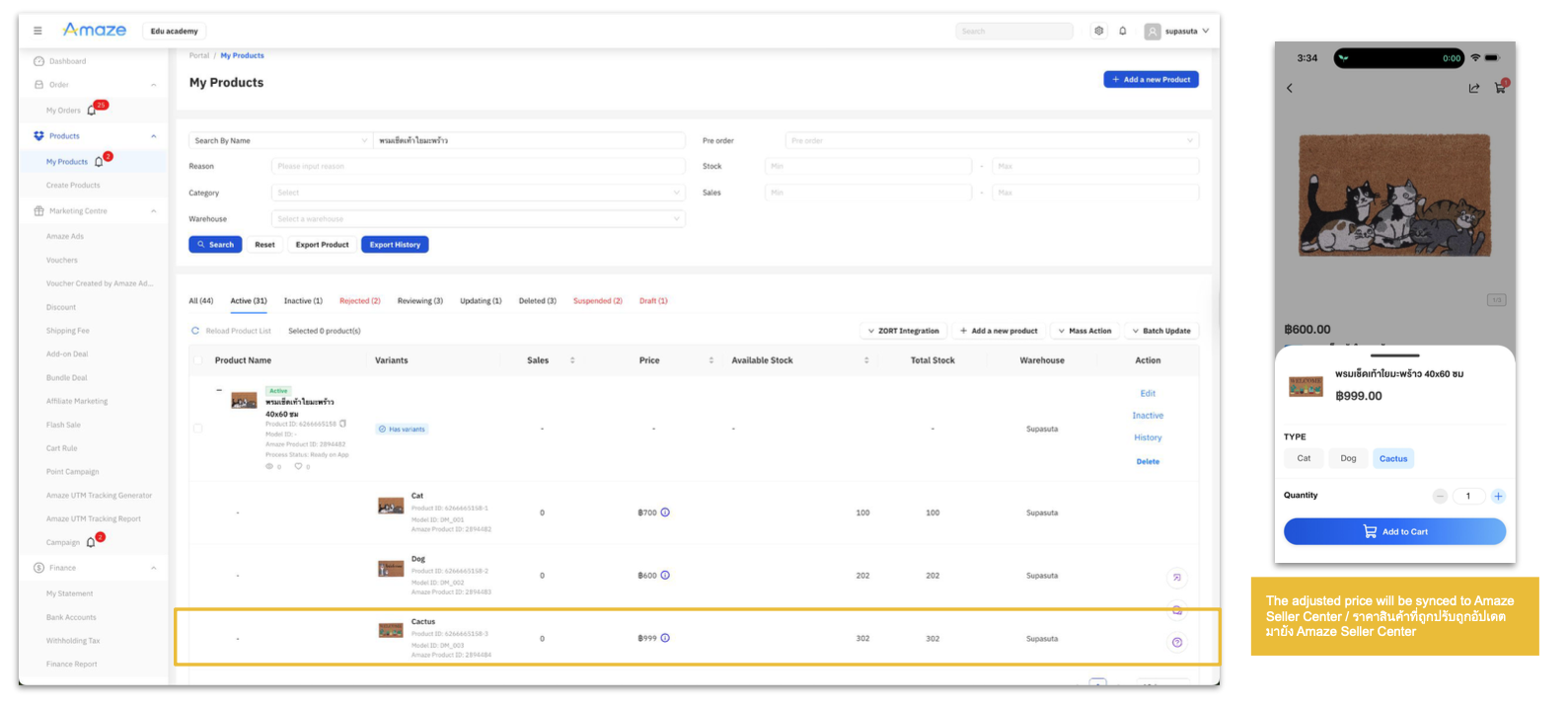
Update Product Price: On ZORT and auto-sync to Amaze
Update Product Price: Successfully synced Product Price to Amaze
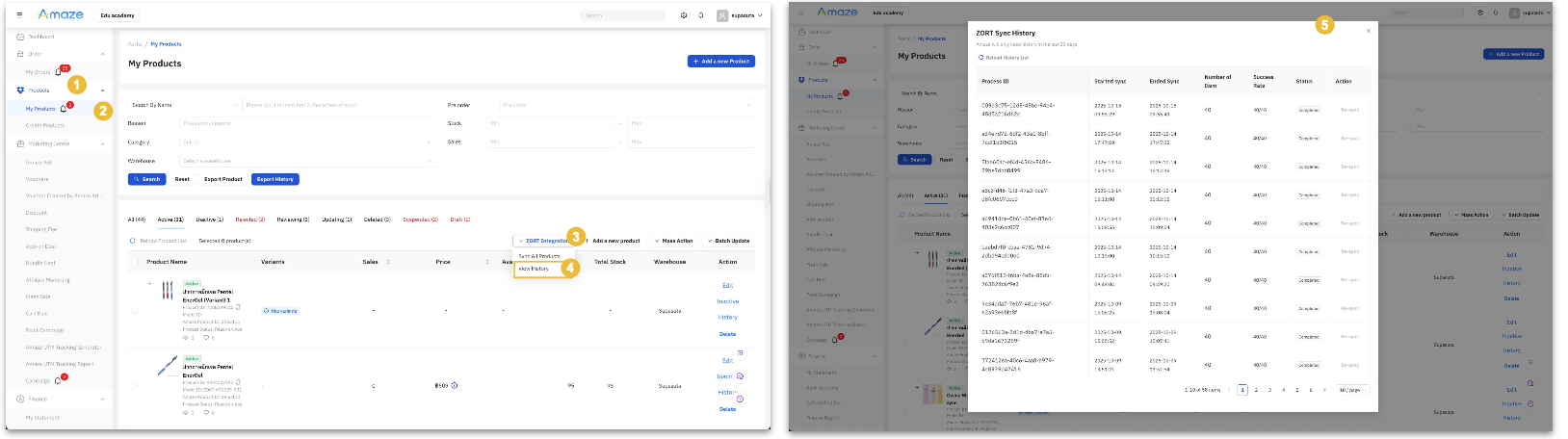
View History Page: Sync All Productsessfully synced Product Price to Amaze
1. Go to Products / ไปที่เมนู “Products”
2. Click on “My Product” / กดเมนู “My Products”
3. Click on “ZORT Integration” menu / กดปุ่ม “ZORT Integration”
4. Click on “View History” menu / กดปุ่ม “View History”
5. System displays popup ZORT Sync History / ระบบแสดงหน้าจอประวัติการซิงค์ข้อมูลไปยัง ZORT
Remark:
– Seller able to click on “re-sync” button when the status is “Partial Completed” or “Failed” / สามารถกดปุ่ม “re-sync” ได้กรณีที่สถานะการซิงค์เป็น “Partial Completed” or “Failed’
– Seller able to click on “Reload History List” button to reload the list / สามารถกดปุ่ม “Reload History List” เพื่อ อัปเดตข้อมูลประวัติเป็นล่าสุดได้
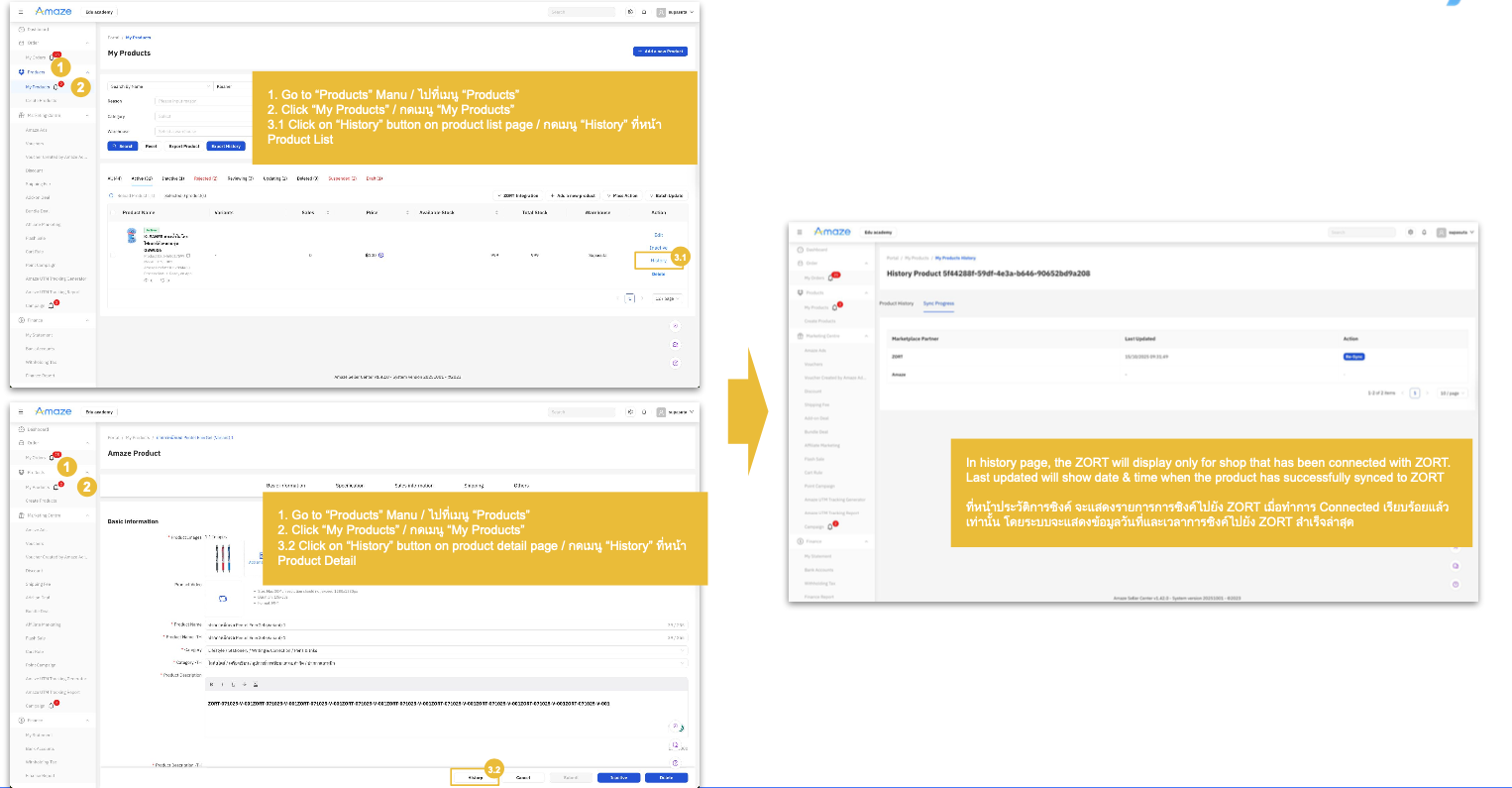
View History Page: Individual Product
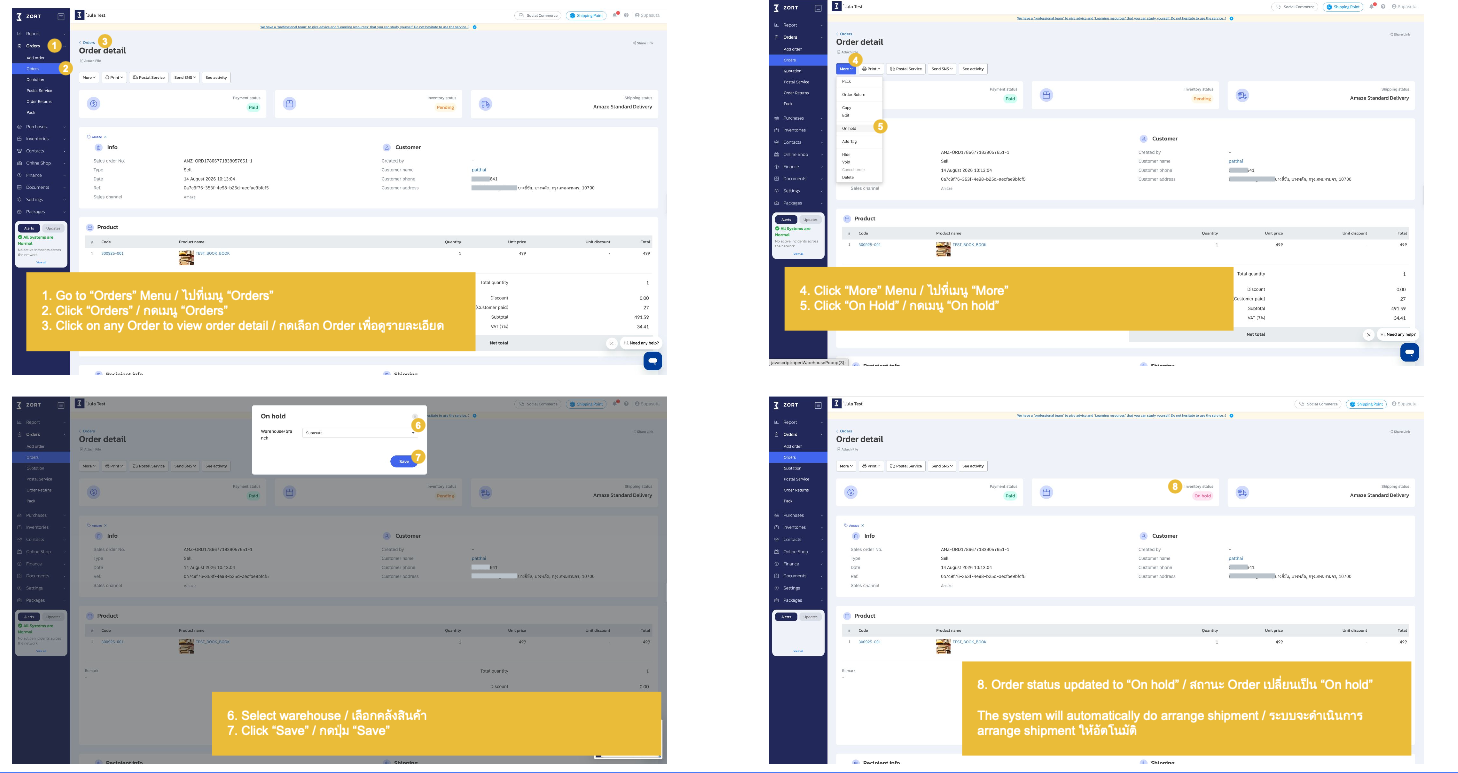
Manage Order on ZORT and Amaze
Amaze Standard Delivery
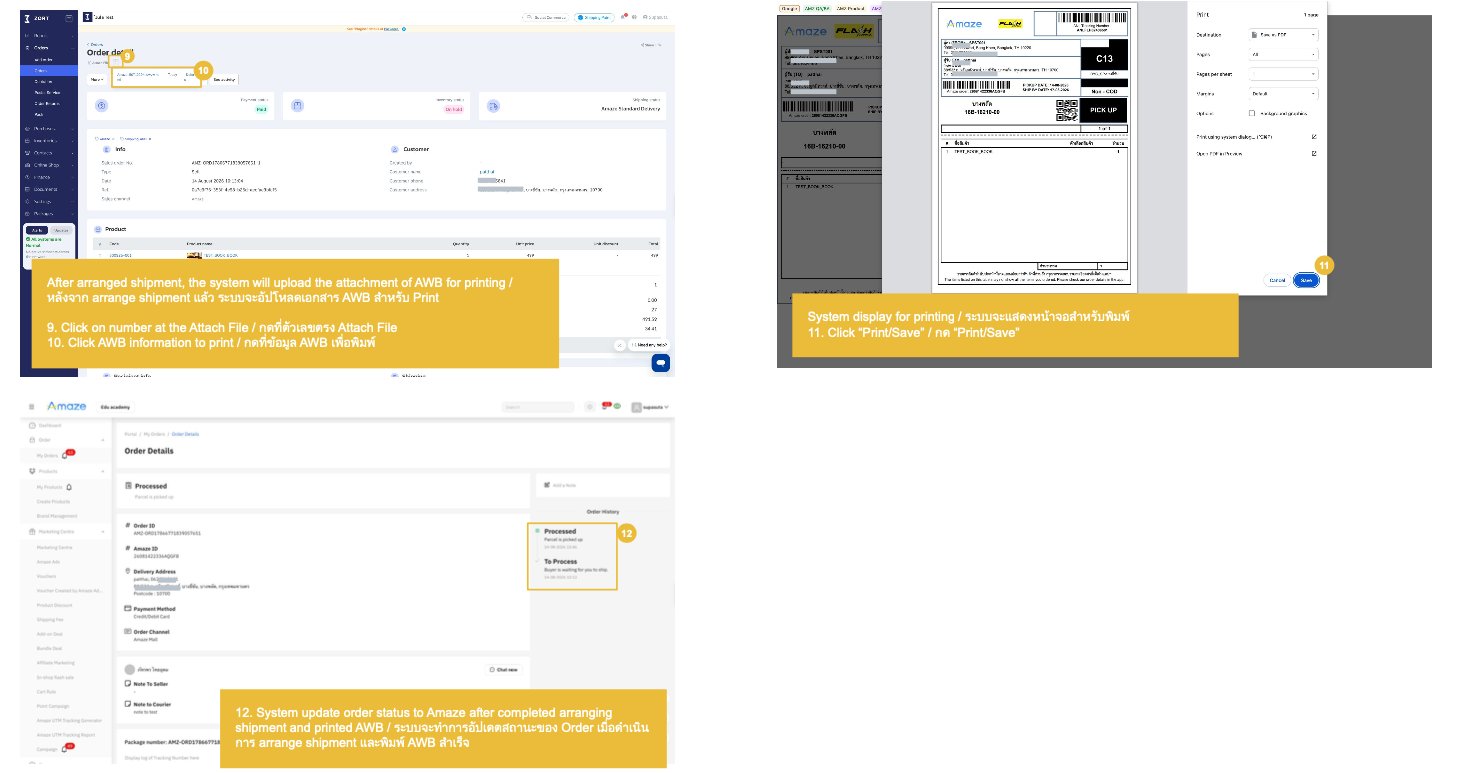
Order Management: Arrange Shipment for Amaze Standard Delivery
Seller Own Fleet
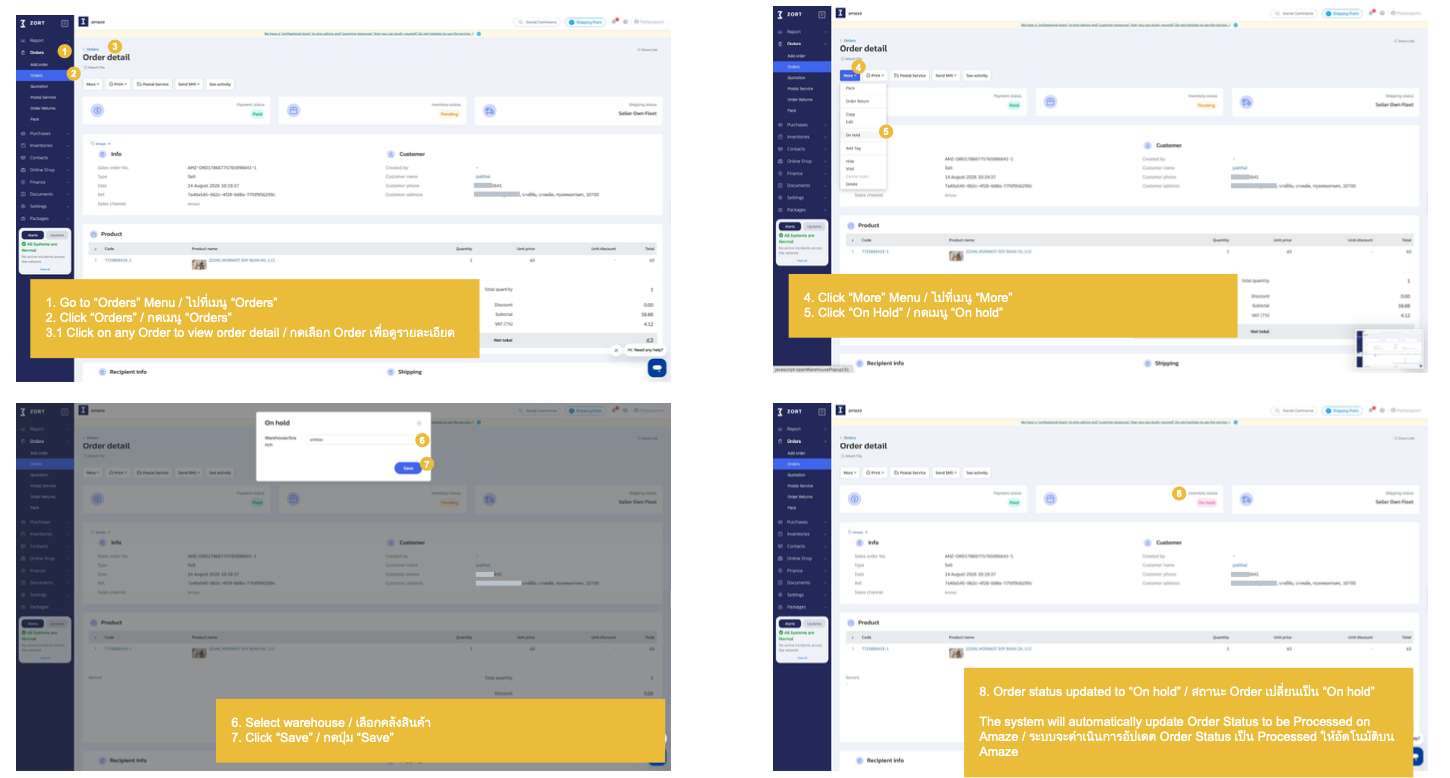
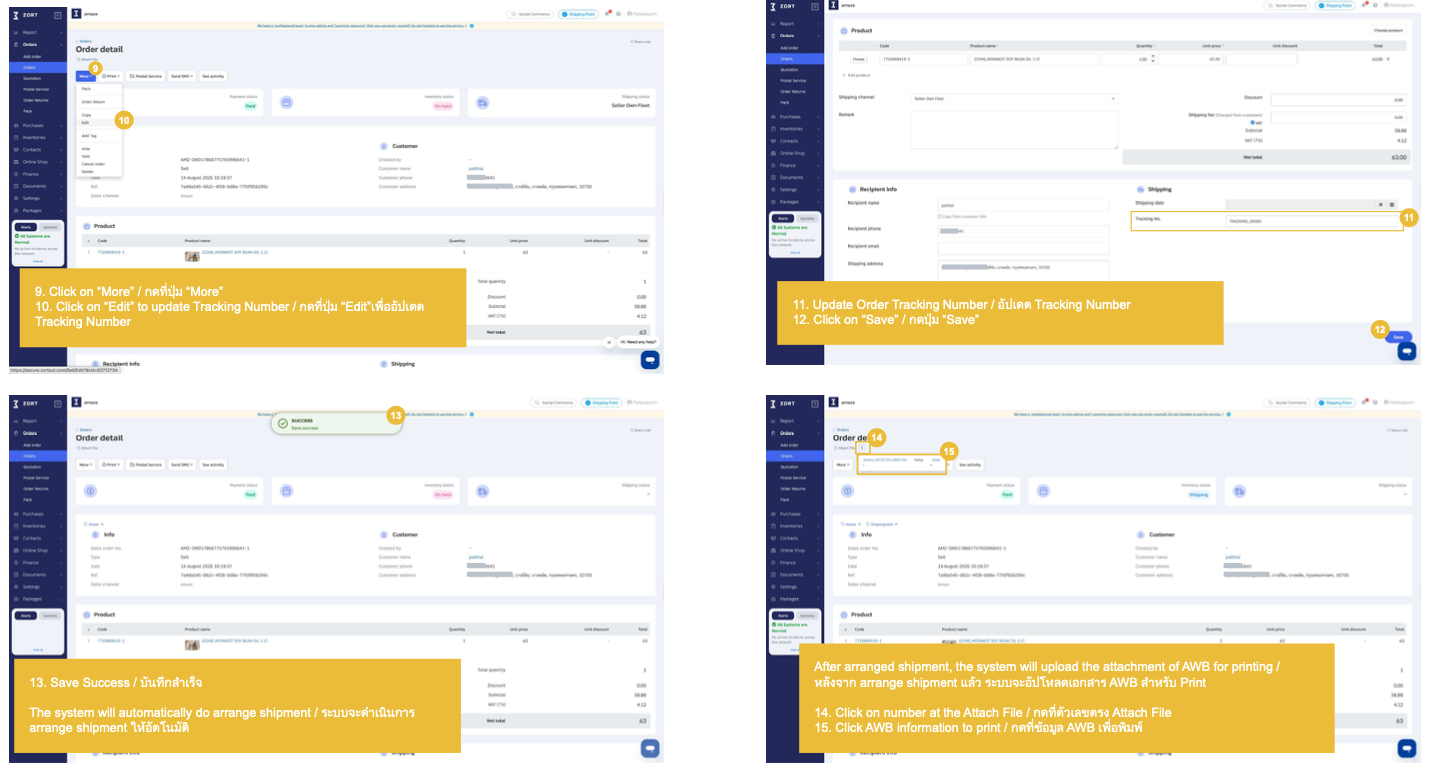
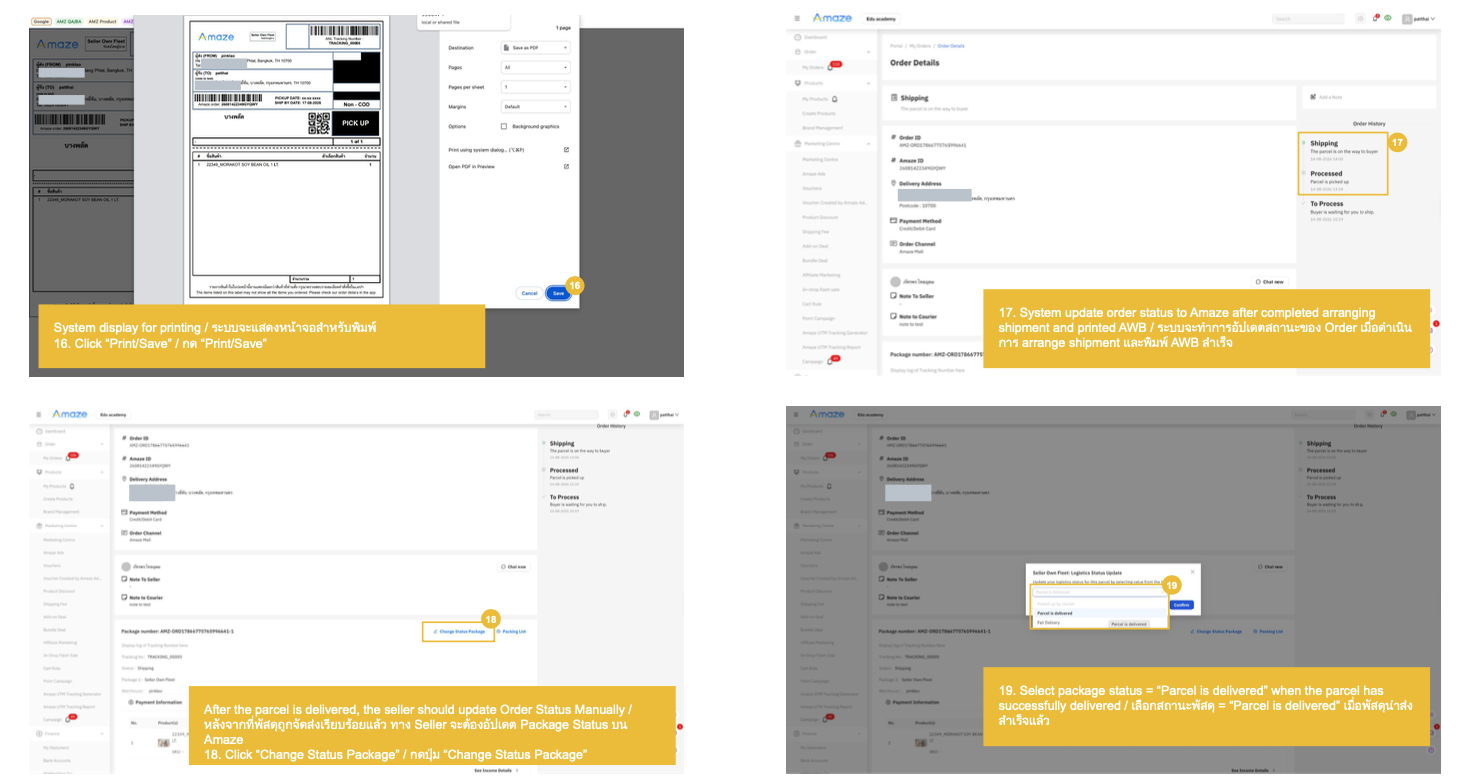
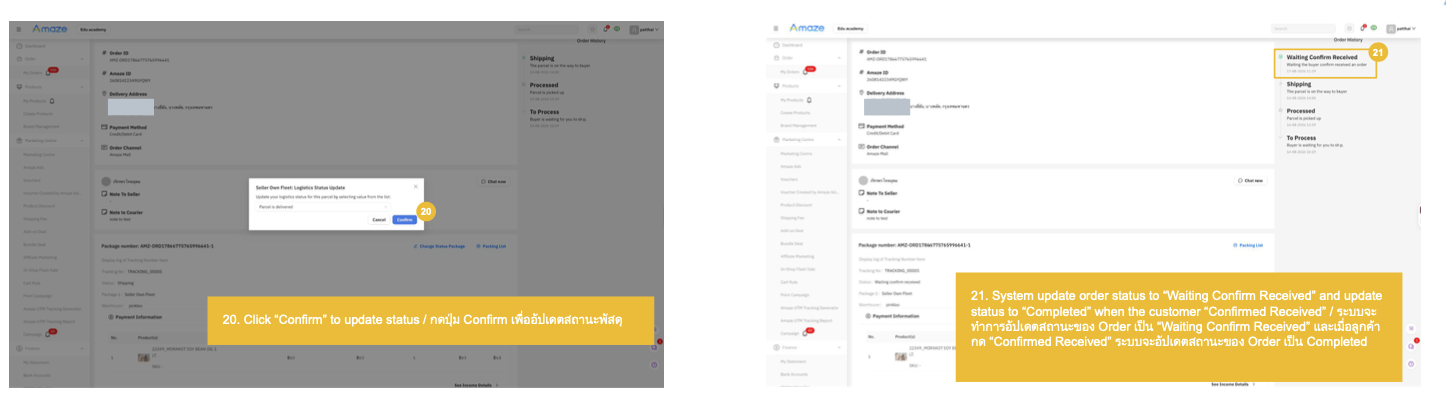
Order Management: Arrange Shipment for Amaze Own Fleet